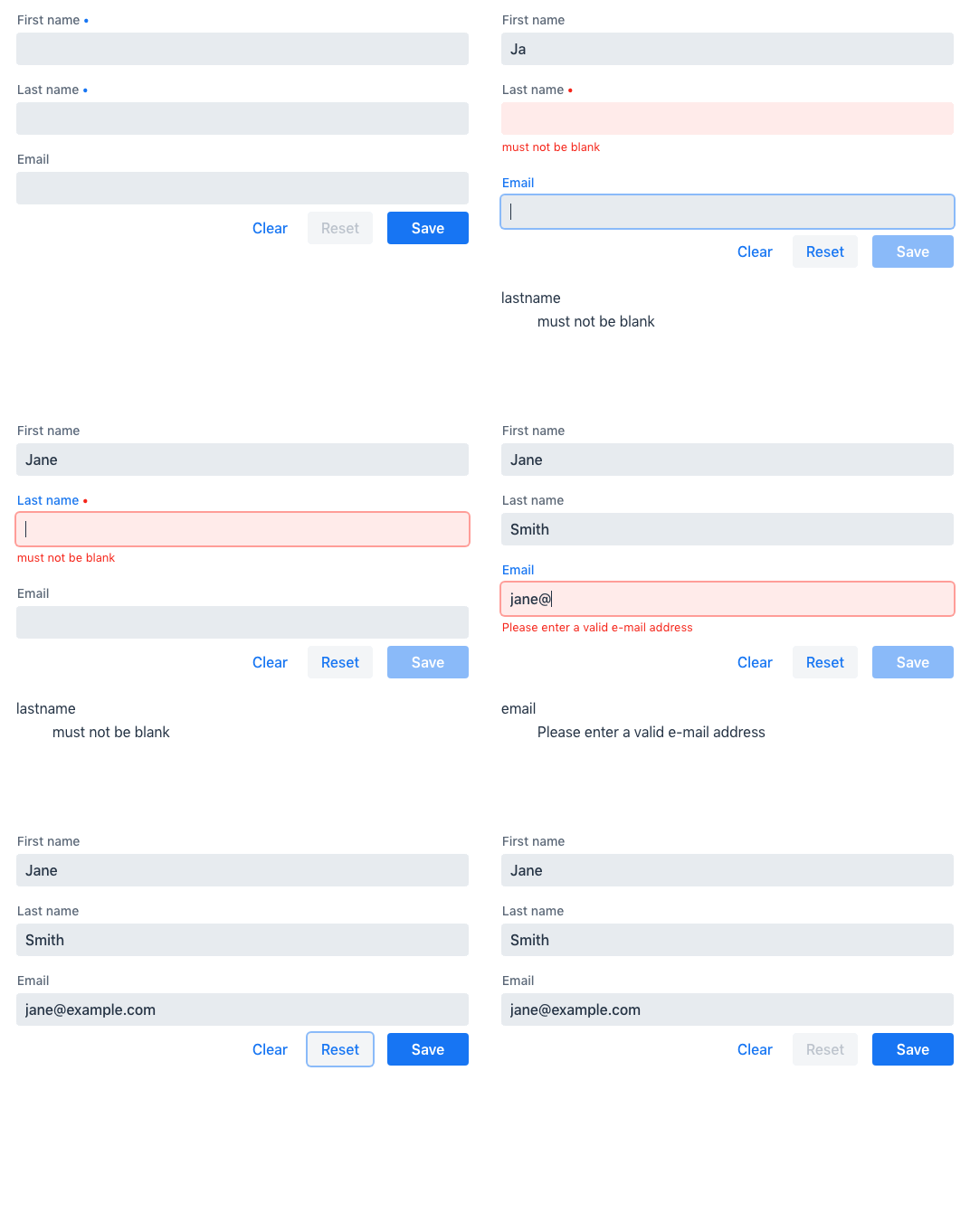
Reacting to Form State Changes
You can display some parts of the form differently depending on the form state. For example, disable the 'Submit' button when the form has validation errors, or show an 'operation in progress' spinner while an async form submission is in progress.
<vaadin-button ?disabled="${this.binder.invalid}">
  Submit
</vaadin-button>
The following properties are available both for the form as a whole, and for each field independently.
They are a part of the BinderNode interface.
You can access these properties either for a single field, e.g. binder.for(model.firstname).dirty, or for the entire form, e.g. binder.dirty.
dirty: true if the current value is different from the value it was initialized withvisited: true if a field has gained focusinvalid: true if a field or the form has validation errorsrequired: true if the field is requirederrors: a list of all validation errors for a field and its subfields or for the formownErrors: a list of all validation errors for a field (without subfields) or for the form (not specific to any field)
The following properties are available for the form as a whole, but not for individual fields.
They are a part of the Binder interface.
You can access these properties via e.g. binder.validating.
validating: true if the form is performing some validationsubmitting: true if the form is submitting the data to a callback
Example: Disable the form while submission is in progress
If form submission could take a long time, it’s usually a good idea to give users a quick visual indication that something is happening. You may also want to prevent more form submissions until the first one is completed (e.g. in a payment form).
With the TypeScript Binder API this can be done using the submitting property.
In the example below binder.submitting is bound to the disabled property of the "Submit" button to disable repeating form submissions.
It is also used as a condition to render an additional 'submitting' message.
<vaadin-form-layout>
  <vaadin-text-field label="First name" ...="${field(model.firstname)}"></vaadin-text-field>
  <vaadin-text-field label="Last name" ...="${field(model.lastname)}"></vaadin-text-field>
</vaadin-form-layout>

<vaadin-horizontal-layout>
  <vaadin-button theme="primary"
    @click="${this.save}"
    ?disabled="${this.binder.invalid || this.binder.submitting}">
    Save
  </vaadin-button>

  ${this.binder.submitting ? html`
    <span class="label">submitting</span>
    <div class="spinner"></div>` : nothing}
</vaadin-horizontal-layout>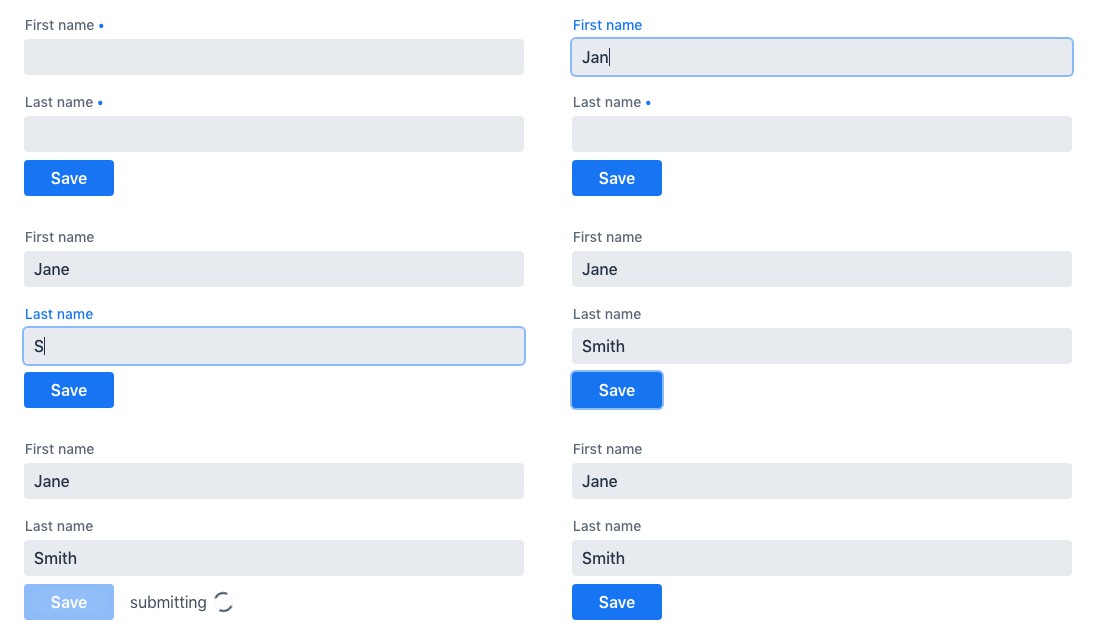
Example: List all validation errors if validation fails
Sometimes you may want to list all validation errors in one place. This is convenient especially in large forms where it can be difficult to find that one field that failed the validation.
With the TypeScript Binder API this can be done using the errors property.
In the example below the form template iterates of the binder.errors list and renders the full list under the form.
<dl>
  ${this.binder.errors.map(error => html`
    <dt>${error.property}</dt>
    <dd>${error.message}</dd>
  `)}
</dl>